How to make training materials people actually use
Written by Dave James | 29th October 2026
Create AI-powered explainer videos in minutes.
Table of Contents
Key Takeaways
- Start with what employees need to know and do.
- Keep training materials clear and focused.
- Use video, PDFs, visuals, and other formats where they make sense.
- Make resources easy to find and use.
- Ask employees for feedback and update materials when needed.
Creating effective training materials takes time and effort, but even the best resources are useless if employees can’t find them, understand them, or see how they apply to their work.
Think about a lengthy training manual. It might contain everything an employee needs to know, but how likely are they to read the whole thing? A short explainer video, on the other hand, might be perfect for introducing a new process but less useful when someone needs to check specific details months later.
The key is to create training materials that match employees’ needs, are easy to access, and provide practical value when it matters most.
Start With What Employees Need to Do
Before creating a training resource, ask a simple question: What should the employee be able to do after using it?
This helps you decide what information belongs in the training and what can be left out.
Consider a company introducing a new expense reimbursement process. Employees may not need a long explanation of why the company changed the process. They need to know what changed, what they need to do, and where to go if they have a problem.
You can keep the full policy as a reference. But the main training can focus on the steps employees need to follow.
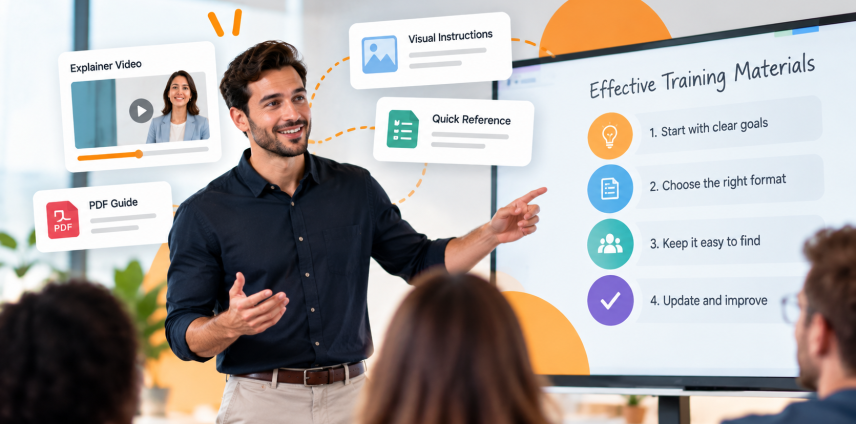
This approach also helps you choose the right format. A short video may work well for showing a process. A PDF may work better for detailed instructions that employees need to check later.
Start With What Employees Need to Do
Even the most effective training resources lose their value when employees have to spend time searching for them.
Company resources often end up in many places. Some are in email. Others sit in shared folders, learning platforms, or old presentations. When employees need an answer, they may not know where to look.
Keep things simple:
- Store training resources in a set location.
- Use clear file names.
- Group resources by topic or role.
- Remove old versions.
Give employees direct links to resources they use often. This is especially useful for PDF training guides. Instead of sending large attachments or asking employees to search through shared folders, you can learn how to create a link to a PDF so they can access the information whenever they need it.
Use the Right Format
There is no single format that works for every type of training.
Use video when employees need to see something happen. This can include software demonstrations, workplace procedures, or step-by-step tasks.
Use PDFs and other written resources when employees need details. Policies, checklists, instructions, and reference guides often work well in this format.
Use visuals when a picture can explain something faster than text. A workflow, diagram, or simple illustration can help employees understand how different parts of a process fit together.
You can also use these formats together.
For example, a company could create a short video that explains a new process. It could then provide a PDF with the full instructions. Employees get a quick explanation first and have the detailed information when they need it.
Simpleshow covers this approach in its article on explainer videos in learning and development, which looks at how video can support different stages of employee learning.
Give Employees Something They Can Come Back To
Employee training shouldn’t end when a course is completed. As employees put their new skills into practice, questions inevitably come up, and processes may change over time. That’s why training materials should also serve as practical resources employees can revisit whenever they need a refresher.
A short video can remind someone how to complete a task. A checklist can help them work through a process. A policy document can provide the full details behind a rule.
This is useful for onboarding, too. New employees have a lot to learn in their first few weeks. They cannot be expected to remember every detail from their first training session.
Make sure they have easy access to those resources whenever they need them.
Simpleshow also discusses the use of video as part of ongoing corporate training in its guide to streamlining corporate training.
Ask Employees What They Need
One of the best ways to improve training materials is to ask the people who use them.
After a training session, ask employees:
- Was anything hard to understand?
- Was any information missing?
- Was there too much information?
- Could you find the resources you needed?
- What would have made the training easier?
Pay attention to the questions employees ask after training, too.
If several people ask the same question, check the training material. The answer may be there, but it may be hard to find or understand.
You do not always need to create more content. Sometimes a small rewrite or a better example can fix the problem.
Keep Training Materials Up to Date
Outdated training materials can create confusion and lead employees to follow incorrect procedures.
A company may change a process, introduce new software, or update a policy. If the old training remains available, employees may follow the wrong instructions.
Give someone responsibility for checking important training resources. Add a review date where it makes sense. Remove old versions when they are no longer needed.
It also helps to keep training content in smaller parts. If one process changes, you can update that resource without having to rebuild an entire training program.
Tools like simpleshow’s content-to-video tool solution can help teams repurpose existing training materials into engaging videos, making it easier to update and reuse content without starting from scratch.
Make Training Useful
Creating effective training materials isn’t about producing more content. It’s about making sure employees have the right information, in the right format, when they need it.
Whether it’s a short explainer video, a practical checklist, or a detailed reference guide, the goal should always be the same: helping employees learn faster, work more confidently, and apply what they’ve learned.
Start small, listen to employee feedback, and keep improving your resources. The best training materials are the ones people actually want to use.
FAQ
What makes training materials effective?
Effective training materials are clear, useful, and easy to find.
They should focus on what employees need to know or do and
give them a way to review the information later.
How can I make training materials more engaging?
Use examples, visuals, short videos, and practical exercises
where they make sense. Keep each resource focused on one
topic or task.
Should employee training use videos or PDFs?
Both can be useful. Video works well for demonstrations and
explanations. PDFs are useful for detailed instructions,
policies, and reference information. Using both can give
employees a quick explanation and a detailed resource.
How can employees find training materials more easily?
Keep resources in one main location, use clear file names,
organize them by topic or role, and provide direct links
to documents and other resources.
How often should training materials be updated?
Review materials when the process, policy, software, or other
information they cover changes. A regular review can also
help you find content that is no longer useful or accurate.
Author's bio
Dave is a tech enthusiast who enjoys keeping up with new technology. When he’s not exploring tech, you’ll probably find him reading a good book or playing video games. He enjoys learning new things and sharing his interests with others.